

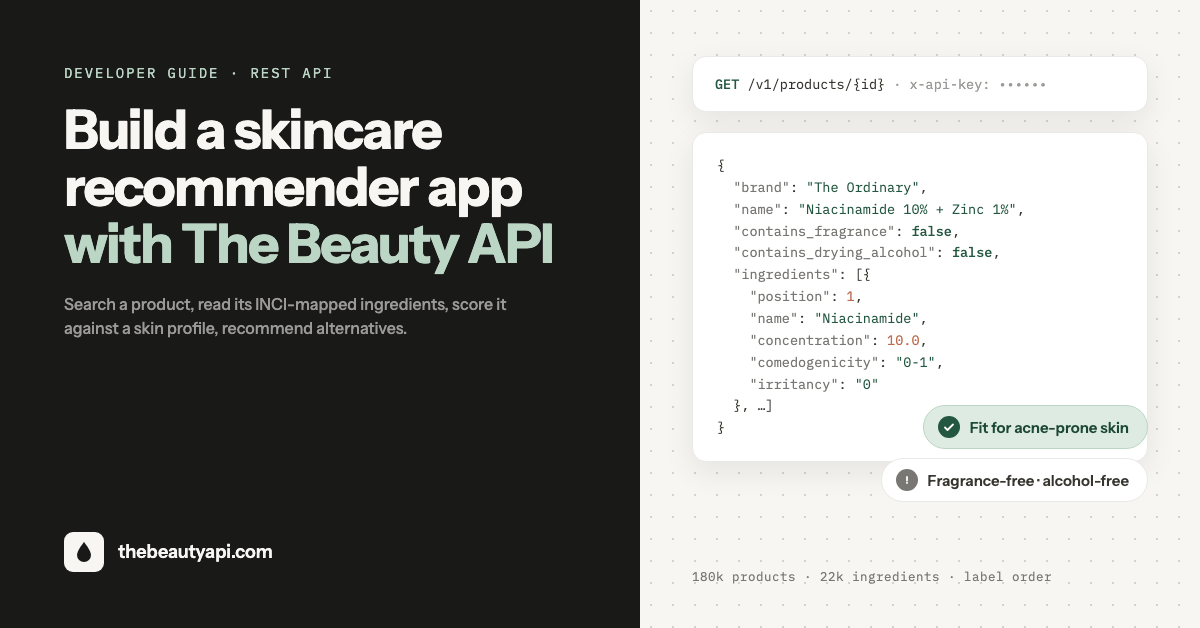
Executive Summary: A skincare recommender app needs three things from its data layer: a way to find the product a user is holding, the full ingredient list in on-label order, and safety signals (irritancy, comedogenicity, fragrance, drying alcohol) it can score against a skin profile. This guide shows how to get all three from The Beauty API in five requests, with copy-paste Node.js examples you can drop into a backend today.
Most skincare recommendation apps stall at the same point: the recommendation logic is a weekend of work, but sourcing and cleaning product data is months. The Beauty API skips that step. It exposes 179,000+ skincare and cosmetics products and 22,000+ ingredients, already normalized to INCI names and paired with dermatological safety data, behind a plain REST API. Here is how to use it.
Step 1: Get an API key
Sign up at the developer dashboard and create a key. The Sandbox plan is free (100 calls a month, card on file, resets on the 1st) and is enough to build the whole flow below. Paid plans start at $40 a month with 10,000 included calls. Every request carries the key in an x-api-key header:
curl "https://api.thebeautyapi.com/v1/products/search?q=niacinamide" \
  -H "x-api-key: YOUR_API_KEY"
Treat the key as a secret. Call the API from your server (Next.js route handlers, Express, a Lambda), never from the browser or a mobile bundle, and read it from an environment variable. A small helper keeps the rest of the code clean:
const BASE = "https://api.thebeautyapi.com";

async function beauty(path, init = {}) {
  const res = await fetch(BASE + path, {
    ...init,
    headers: {
      "x-api-key": process.env.BEAUTY_API_KEY,
      "content-type": "application/json",
      ...(init.headers || {}),
    },
  });
  if (!res.ok) throw new Error(`Beauty API ${res.status} on ${path}`);
  return res.json();
}
Step 2: Find the product the user is talking about
Recommenders start with a product the user already owns or is considering. GET /v1/products/search matches on brand and name and is built for autocomplete, so you can wire it straight to a search box:
const { results } = await beauty(
  "/v1/products/search?q=" + encodeURIComponent("ordinary niacinamide")
);

// results[0] =>
// {
//   id: "06d9476a-397b-5f61-abc8-640b30a9ae23",
//   brand: "The Ordinary",
//   name: "Niacinamide 10% + Zinc 1%",
//   category: "skincare",
//   image_url: "https://images.thebeautyapi.com/06d9476a-....jpg"
// }
Search returns 20 results per page with a pagination.has_more flag. The image_url is a hosted product photo, so the search dropdown can show thumbnails with no extra work. If your app scans packaging, barcode-enabled plans can resolve a UPC or EAN to the same product with GET /v1/products/barcode/{barcode}.
Step 3: Pull the full ingredient record
The search result is deliberately light. Once the user picks a product, fetch the complete record with GET /v1/products/{id}. This is the payload a recommender runs on:
const product = await beauty("/v1/products/" + results[0].id);

// product.contains_fragrance       => false
// product.contains_drying_alcohol  => false
// product.contains_parabens        => false
// product.contains_sulfates        => false
// product.contains_silicones       => false
// product.ingredients[0] =>
// {
//   position: 1,
//   label_name: "Niacinamide 10.0%",
//   concentration: 10,
//   name: "Niacinamide",
//   rating: "direct actives",
//   irritancy: null,
//   comedogenicity: null,
//   functions: ["smoothing"],
//   other_names: "vitamin B3, nicotinamide",
//   ...
// }
Three details matter for recommendation quality. ingredients is sorted by position, the exact order printed on the label, which in cosmetics runs from highest to lowest concentration, so position is a usable concentration proxy. concentration is filled in only where the brand publicly discloses it and is never estimated. And the five contains_* booleans are precomputed, so the common "fragrance-free" or "alcohol-free" checks cost nothing.
Step 4: Score the product against a skin profile
This is where your app adds value, and the shape of the data keeps it short. irritancy and comedogenicity are strings on a 0 to 5 scale, sometimes a range such as "0-2" where sources disagree, and null when no lab score exists. Parse the worst case of a range and be conservative with early-position ingredients:
// "2" -> 2, "0-2" -> 2, null -> 0
const worst = (s) => (s ? Math.max(...s.split("-").map(Number)) : 0);

function evaluate(product, profile) {
  const flags = [];

  if (profile.acneProne) {
    const poreCloggers = product.ingredients.filter(
      (i) => worst(i.comedogenicity) >= 3 && i.position <= 10
    );
    if (poreCloggers.length)
      flags.push(`Contains ${poreCloggers.map((i) => i.name).join(", ")} high on the label (comedogenic)`);
  }

  if (profile.sensitive) {
    if (product.contains_fragrance) flags.push("Contains fragrance");
    if (product.contains_drying_alcohol) flags.push("Contains drying alcohol");
    const irritants = product.ingredients.filter((i) => worst(i.irritancy) >= 3);
    if (irritants.length)
      flags.push(`Known irritants: ${irritants.map((i) => i.name).join(", ")}`);
  }

  if (profile.avoid?.length) {
    const hits = product.ingredients.filter((i) => profile.avoid.includes(i.name));
    if (hits.length) flags.push(`On your avoid list: ${hits.map((i) => i.name).join(", ")}`);
  }

  const actives = product.ingredients
    .filter((i) => i.rating === "superstar" || i.rating === "goodie")
    .map((i) => i.name);

  return { fit: flags.length === 0, flags, actives };
}

evaluate(product, { acneProne: true, sensitive: true, avoid: ["Coconut Oil"] });
// => { fit: true, flags: [], actives: [...] }
The same function works for any concern you want to support. Dry skin can look for humectants and emollients in functions; a "clean" preference can lean on contains_parabens, contains_sulfates and contains_silicones; a routine checker can compare name across products to catch duplicated actives. Because every product resolves to the same 22,000 canonical ingredients, an avoid list of plain names such as "Coconut Oil" matches reliably instead of failing on label spelling variants.
Step 5: Recommend alternatives
When a product fails the profile, suggest ones that pass. GET /v1/products filters by category, brand, origin, the five free-from booleans, and by ingredient. Ingredient filters take ingredient IDs, which you get from GET /v1/ingredients/search:
// 1. Resolve the ingredient the user wants to avoid
const ing = await beauty("/v1/ingredients/search?q=coconut%20oil");
const coconutOilId = ing.results[0].id;

// 2. Discover fragrance-free skincare that excludes it
const alternatives = await beauty(
  "/v1/products?category=skincare&fragrance_free=true" +
  "&excludes_ingredient=" + coconutOilId + "&page=1"
);

// 3. Hydrate the shortlist in one round trip (up to 50 IDs)
const full = await beauty("/v1/products/batch", {
  method: "POST",
  body: JSON.stringify({ ids: alternatives.results.slice(0, 10).map((p) => p.id) }),
});

const recommended = full.filter((p) => evaluate(p, profile).fit);
excludes_ingredient accepts up to ten comma-separated IDs, so a user's whole avoid list can go into a single query. has_ingredient does the reverse for "show me products with azelaic acid". Run the discovery results through the same evaluate function from Step 4 and you have a ranked, explainable recommendation list.
Production tips
- Cache product records. The catalog changes on a release cadence, not in real time. Caching
/v1/products/{id}responses for a day cuts your bill and keeps recommendations fast. - Use batch for routines. A user's routine is a list of IDs. One
POST /v1/products/batchcall fetches all of them instead of ten sequential requests. - Handle nulls honestly. A
nullcomedogenicity means "no lab score", not "safe". Tell the user which ingredients were unscored rather than silently treating them as zero. - Respect rate limits. Sandbox allows 5 requests per second and paid plans more; queue autocomplete calls with a short debounce.
- Add a disclaimer. Ingredient ratings are decision support, not medical advice. Say so in the UI, especially for users with diagnosed conditions.
Prototype offline first
If you want to design the scoring logic before touching the API, the free 1,000-product sample ships the same fields as CSV and JSONL with images. Build evaluate() against the sample, then swap in the live endpoints when the UI is ready. The full endpoint reference, including error codes and the barcode base path, is in the API documentation.
The bottom line
A skincare recommender app is a search box, a scoring function, and a discovery query. With The Beauty API, each of those maps to one endpoint, the ingredient data arrives normalized and in label order, and the safety signals your scoring needs are already on every record. You get to spend your time on the recommendations, not on the data.